The Found app for iPhone and iPad

A chapter a day, at your own pace. It reads offline, you don’t need an account to read, and nothing tracks what you read.

Coming to iPhone and iPad. Free to download, with no ads.

  1. A chapter a day, at your own pace

    Today has the day’s reading, ready to read or to listen to. The whole Bible is on your phone from the first launch, so it works offline.
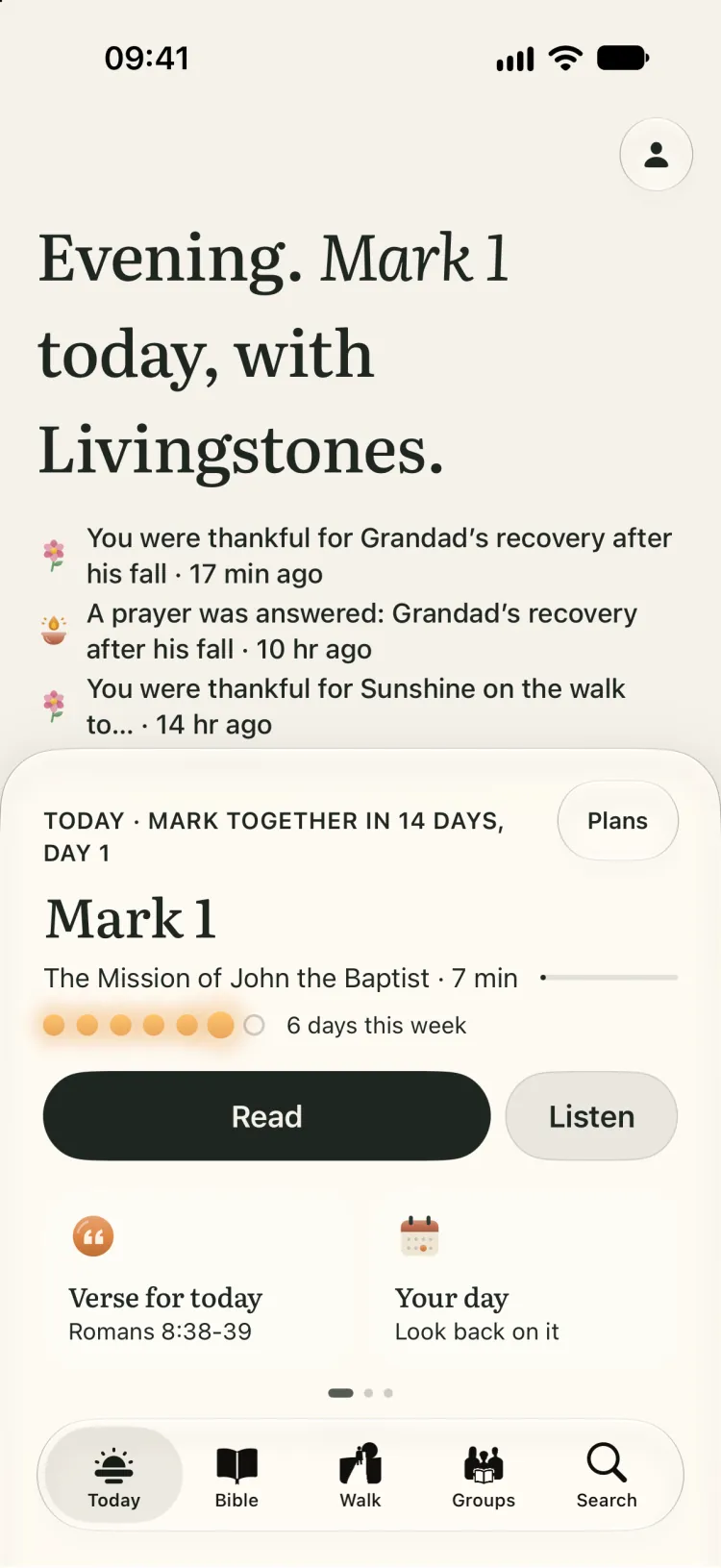

    Today on iPhone in the evening: Mark 1, with Read and Listen, and above it a prayer marked answered and a line of thanks for it.
  2. What you’ve read, prayed and given thanks for

    Walk keeps your days as they went: chapters read, prayers prayed and answered, lines of thanks, quiet times. Prayer, gratitude, memory verses and your path all open from here.
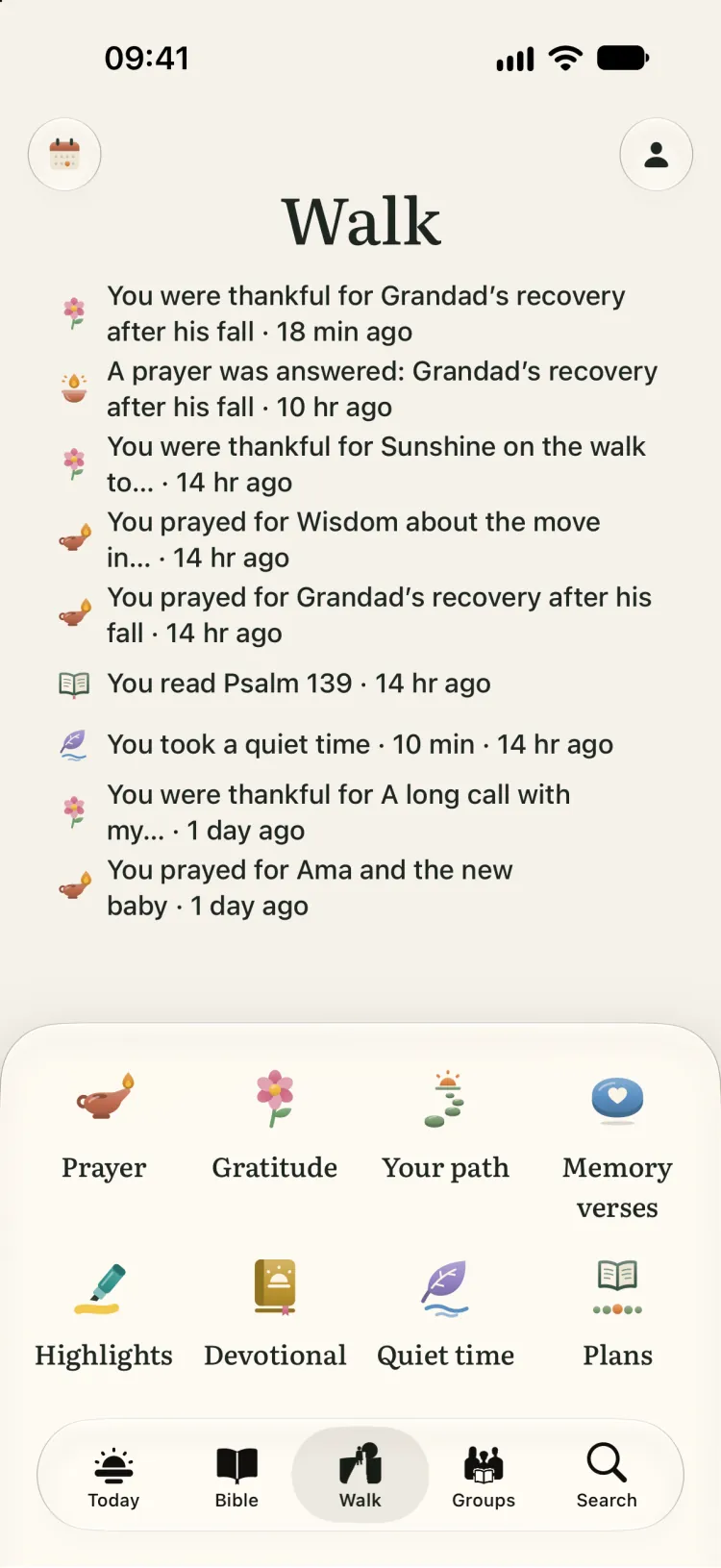
    Walk on iPhone: recent moments, such as a prayer answered, Psalm 139 read and a quiet time, above links to Prayer, Gratitude, Your path, Memory verses, Highlights, Devotional, Quiet time and Plans.
  3. A stone for every chapter

    Each chapter you read lays a stone on a road drawn through the whole Bible. Landmarks show how far you’ve come: Noah’s ark in Genesis, the burning bush in Exodus, barley sheaves in Ruth.
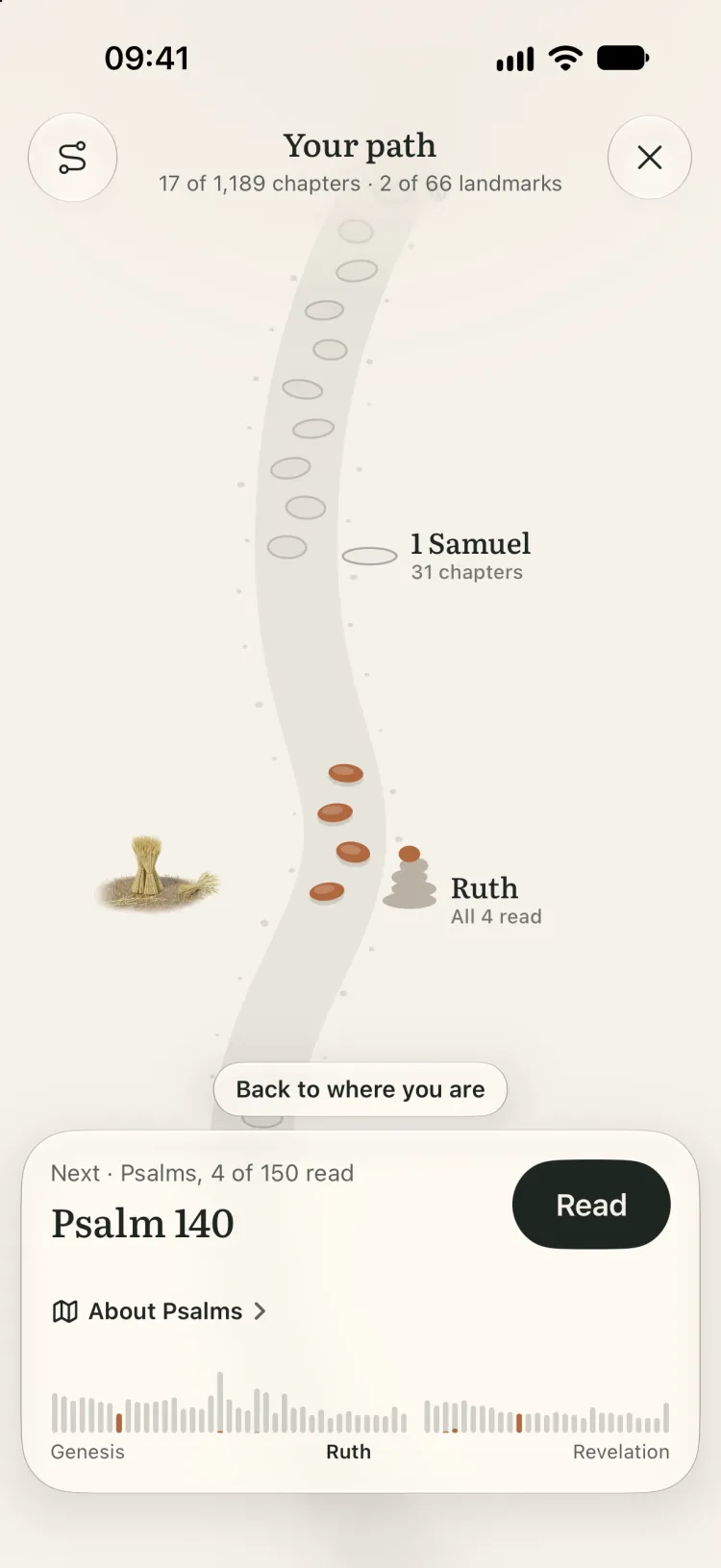
    Your path on iPhone at Ruth: four stones laid, a cairn and a barley sheaf beside the road, and Psalm 140 next to read.
  4. The people and things you pray for

    Keep a list of what you’re praying for and light a lamp on the days you pray. When a prayer is answered, write how, and it’s kept in a book of remembrance.
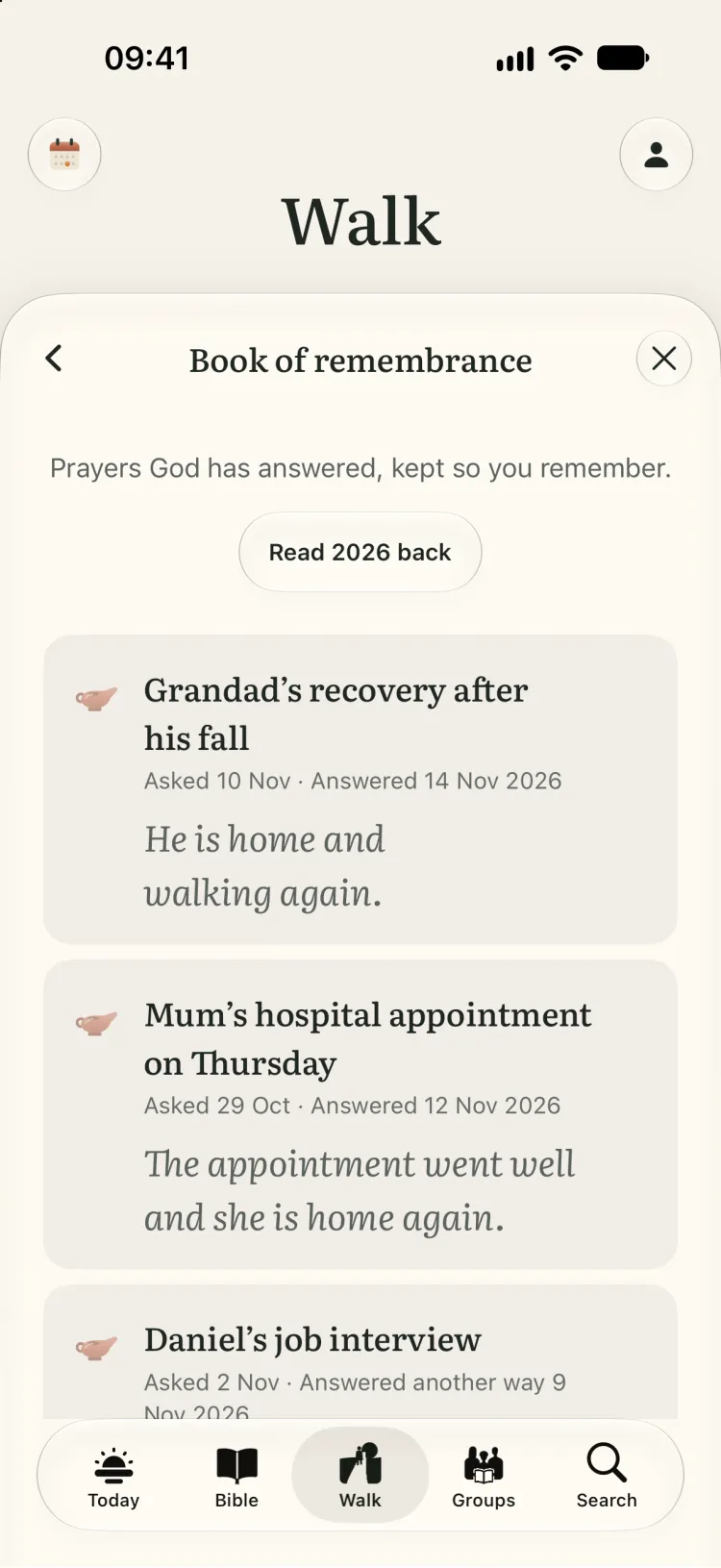
    The book of remembrance on iPhone: answered prayers, each with the day it was asked, the day it was answered and how.
  5. One line a day of what you’re thankful for

    Write a line, and look back over the weeks to see what you were grateful for.
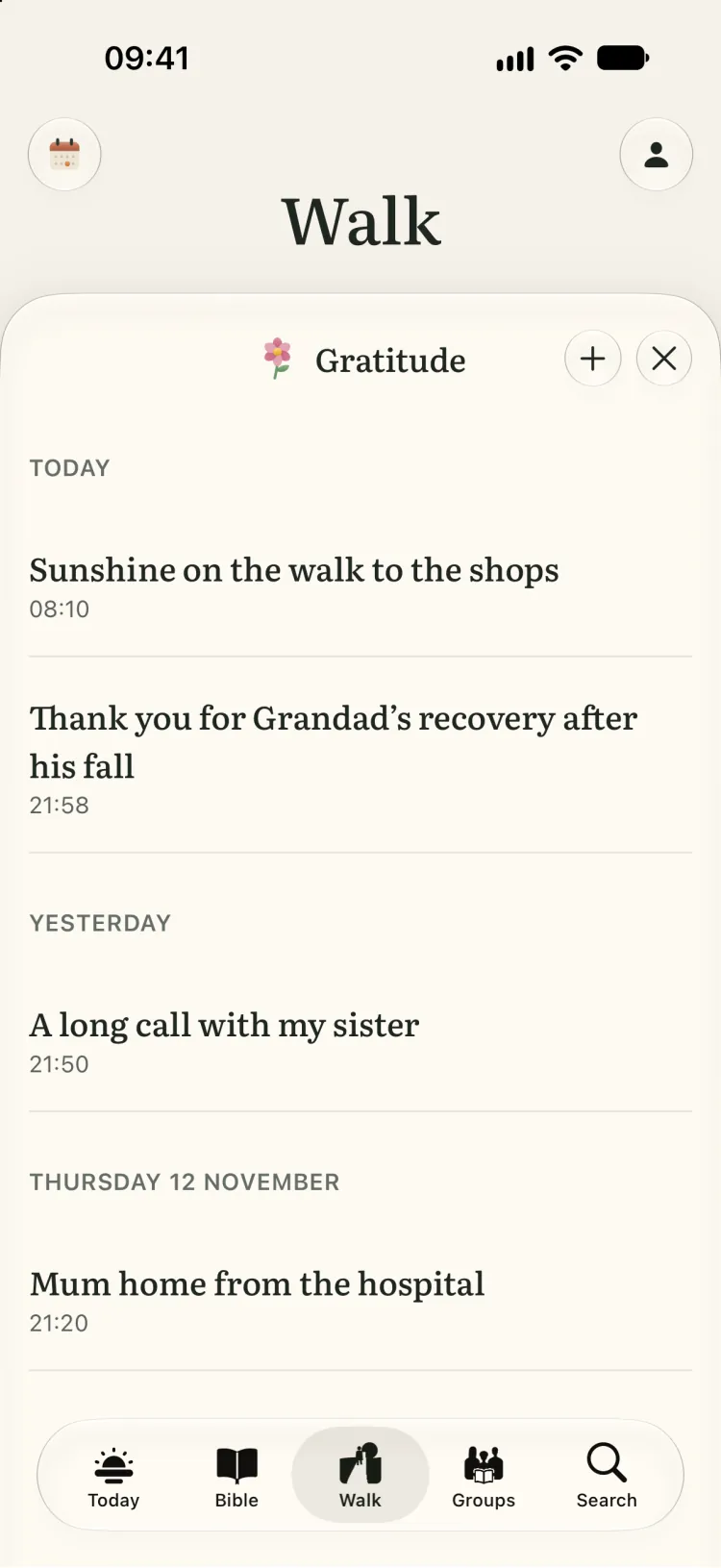
    Gratitude on iPhone: lines of thanks under today, yesterday and Thursday, each with the time it was written.
  6. Learn a verse by heart

    Say it, then turn the card to check. It comes back just before you’d forget it.
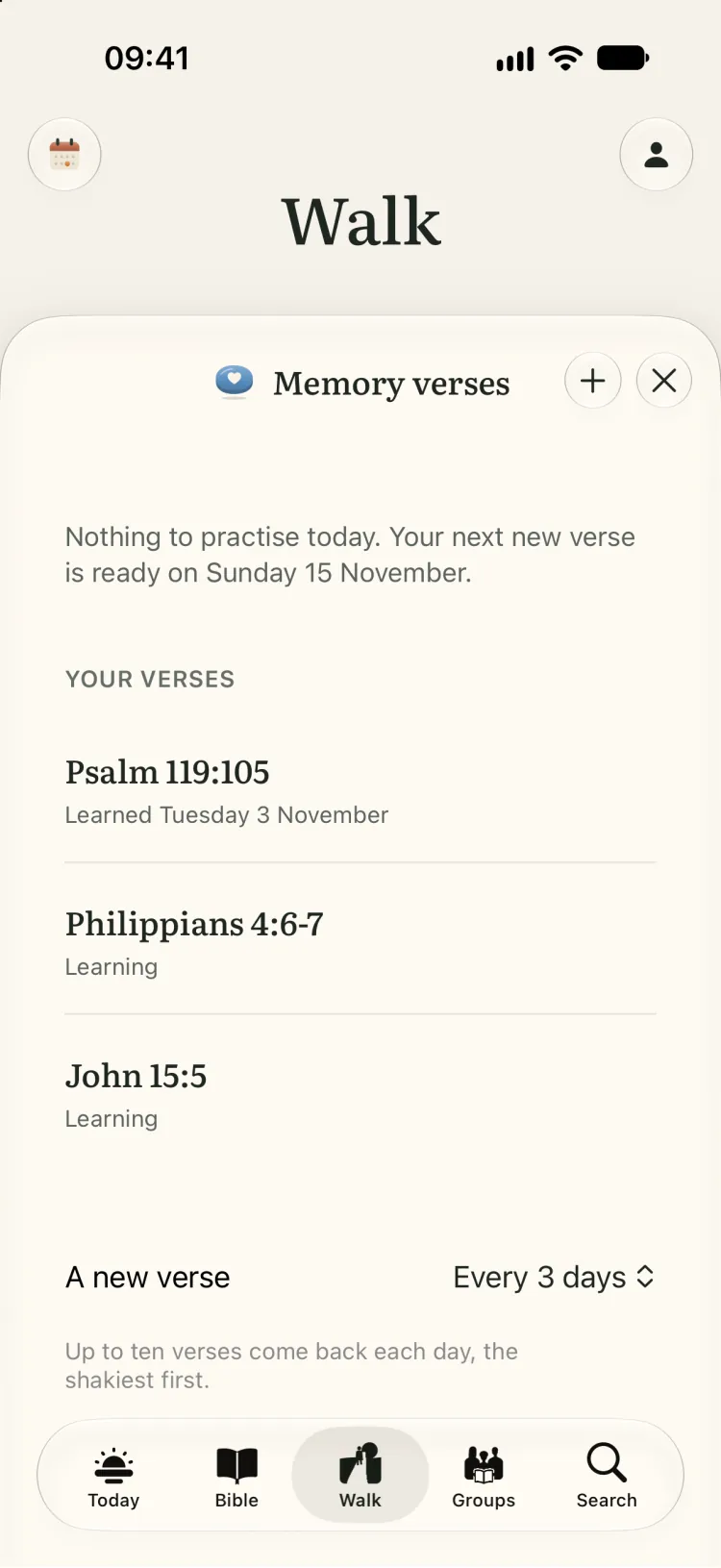
    Memory verses on iPhone: Psalm 119:105 learned, Philippians 4:6–7 and John 15:5 still being learned, and a new verse every three days.
  7. Read together

    Read the same chapter as your family or small group, and Today shows what the group is reading. Groups are invite-only, and the person who starts one approves everyone who joins.
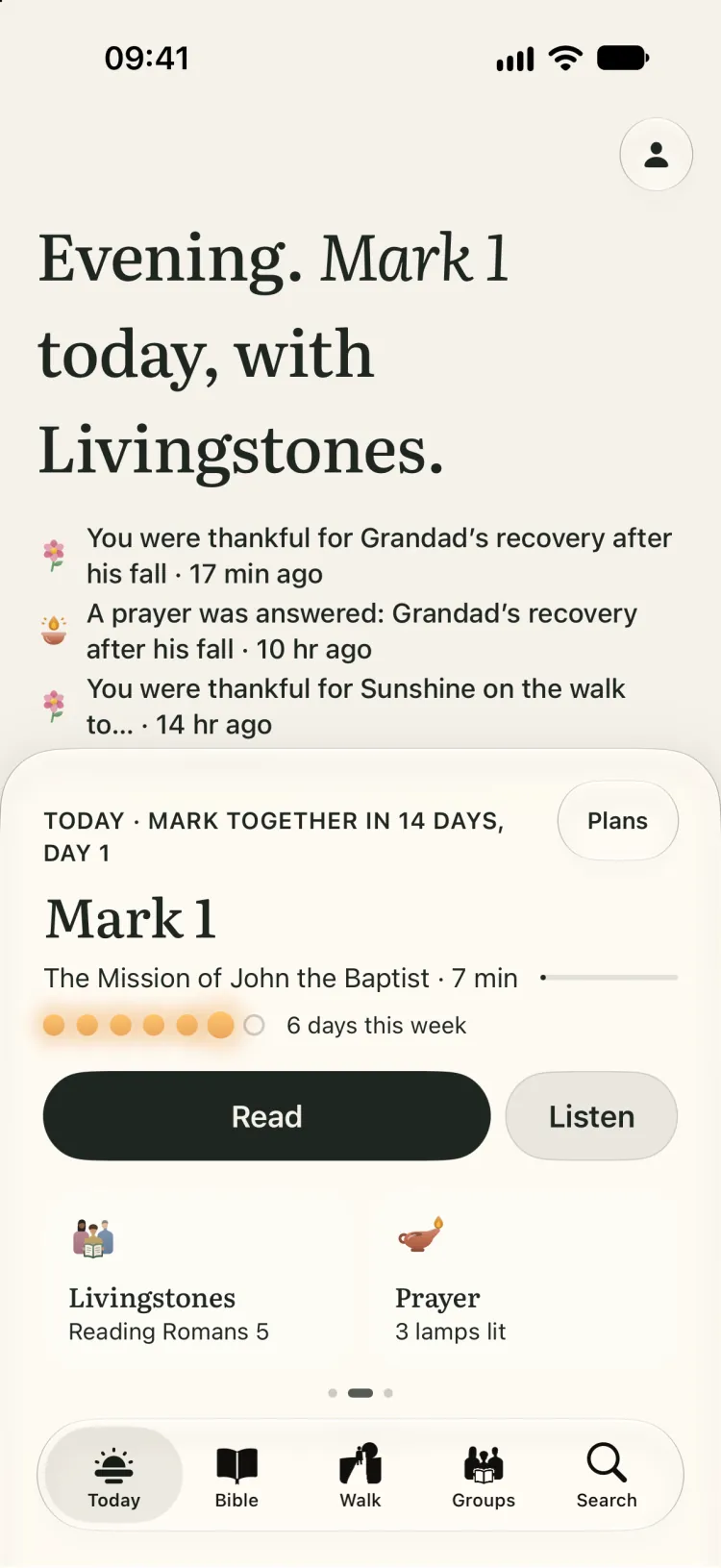
    Today on iPhone with the Livingstones group reading Romans 5, beside Prayer with three lamps lit.

On iPad

Today lays the day out as two pages, and the commentary sits beside the chapter so you don’t lose your place.

Today on iPad, laid out as two pages: the words and the verse for today on one, the day’s reading on the other.
A chapter on iPad with Spurgeon’s commentary open beside it.
Your path on iPad, the road running across the wider screen.

On iPhone Duo

Stand an iPhone Duo half open, like a laptop, and the chapter stays above the fold with the commentary below it. Open it flat and the chapter reads like a book, a page each side of the fold.

John 2 on an iPhone Duo stood half open: the chapter above the fold, J. C. Ryle’s commentary below it.

Also in the app

About each book
Every book has a page of plain facts: when it was written, the places it names on a map, and the people in it. In Acts, open each of Paul’s journeys to see its route.
Quiet time
A countdown on a calm screen, with a few verses that fade in and out. Say “Start a quiet time with Found” to Siri to begin one.
Widgets
Today’s reading, a lamp that lights once you’ve read, and the verse you’re learning, on the Home Screen and Lock Screen.
Reminders
A nudge at the time you choose to read, and another to pray, if you want them.
Commentary
Notes from J. C. Ryle, Matthew Henry, C. H. Spurgeon, Albert Barnes, and Jamieson, Fausset and Brown, beside the chapter.
Offline
The Berean Standard Bible and the World English Bible are on the device from the first launch.
iCloud
Your notes, highlights and reading follow you between your iPhone and iPad through your own iCloud. We can’t read them.

Questions

Is Found free?
Found is free to download, and reading is free: both translations, the commentaries, search, reading plans, devotionals, highlights, notes and groups. There are no ads.
Which Bible translations does Found have?
Two, both on the device from the first launch: the Berean Standard Bible and the World English Bible, in its British edition. You can compare a verse in both side by side.
Does Found work offline?
Yes. The Bible text is stored on your iPhone or iPad, so you can read on a plane or with no signal. Your notes, highlights and place are kept on the device too.
Does Found work on iPad and iPhone Duo?
Yes, it’s one app for all three. On an iPad on its side, and on an open iPhone Duo held like a book, a chapter lies as two facing pages, and commentary sits beside the text.
Do I need an account?
Not to read. Notes, highlights, prayers and your reading follow you between your own devices through your iCloud. You only sign in to join a reading group, or to open your notes on this website.
Does Found track what I read?
No. The app has no ads and no analytics, and this website sets no cookies.
When is Found out?
Found is coming to the App Store for iPhone and iPad, including iPhone Duo. It needs iOS 27 or iPadOS 27.

Coming soon

For iPhone and iPad on iOS 27 or iPadOS 27 and later, including iPhone Duo. Free to download.

Coming to iPhone and iPad. Free to download, with no ads.